Is a Vertical Mouse Worth It? What Lab Studies Actually Measure — and Where Silent Mice Fit In
30 July 2026 · Buying guides
Vertical mice promise a more natural wrist, silent mice promise quieter calls — and both claims are checkable. A calm read of the published measurements: what a vertical shape genuinely changes, the honest speed trade-off, and what matters with any mouse you buy.
Why the mouse hand is worth a considered purchase
Musculoskeletal complaints remain the most common work-related health problem in Europe: EU-OSHA's report on their prevalence, costs and demographics found that roughly three out of every five workers in the EU report MSD complaints, with backache and muscular pains in the upper limbs the most frequently named. The mouse sits at the centre of the upper-limb half of that picture, because it is the highest-repetition contact point on the desk: thousands of small movements a day, made with the same hand in the same posture. That is why 'ergonomic mouse' has become a crowded product category with confident claims attached. The good news is that this is one of the few corners of desk equipment where the claims have actually been measured in laboratories, with electromyography and motion capture rather than adjectives. This article walks through what those measurements say about the two designs people most often consider buying: the vertical mouse and the silent mouse: and what matters regardless of which shape you choose.
What a vertical mouse actually changes: the measured numbers
A vertical mouse turns the hand from palm-down to a handshake position, and the effect on the forearm has been quantified. A study published in Ergonomics compared a standard and a vertical mouse in sixteen users, recording muscle activation with electromyography and forearm movement with electrogoniometers. The vertical design reduced forearm pronation from 42 to 28 degrees and shifted the wrist from 7 degrees of radial deviation to 5 degrees of ulnar deviation: in plain terms, the forearm twists less and the wrist sits closer to neutral. Muscle activity followed: extensor carpi activity fell from 16 to 13 percent and extensor digitorum activity from 13 to 10 percent of maximum. The authors' conclusion was measured rather than triumphant: a vertical mouse can decrease exposure to the biomechanical risk factors associated with mouse-related complaints. Not a cure, not a therapy: a reduction in awkward posture and muscle load, documented with instruments rather than testimonials.
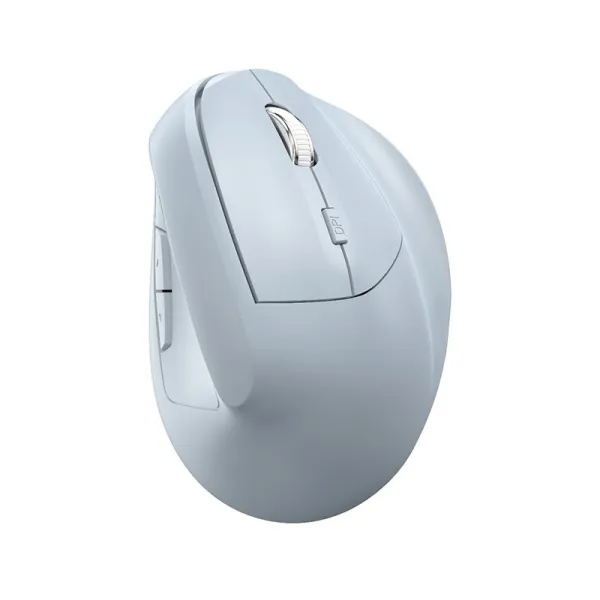
Vertex Wireless Vertical Mouse
Bluetooth vertical mouse, neutral handshake grip
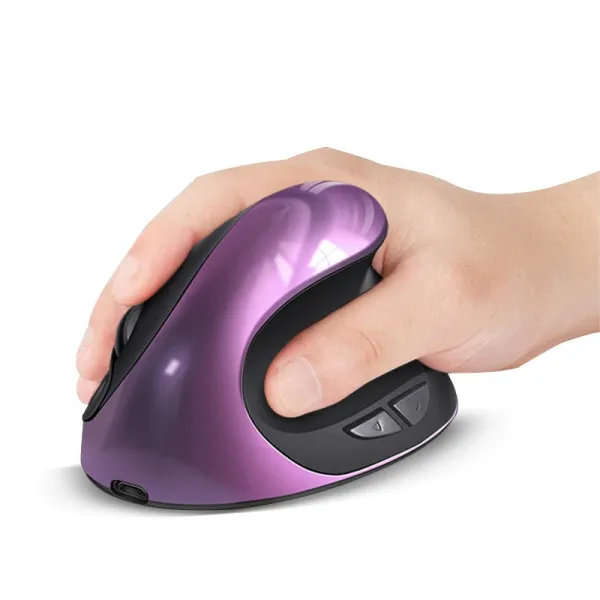
Volt Charging Vertical Mouse
Rechargeable vertical mouse: no battery swaps
The honest trade-off: precision takes a hit at first
The same Ergonomics study recorded the cost: time to reach a target was 4.2 seconds with the vertical mouse against 3.4 with the standard one, and the authors note that training and familiarisation are required. A second study, published in the journal Work, compared flat, angled and fully vertical mice and found the same pattern from another angle: every raised design reduced forearm pronation relative to a flat mouse, moderately angled shapes improved wrist posture without hurting pointing performance, but the fully vertical mouse: while reducing pronation: showed the poorest pointing performance of the set. The practical reading: if your day is browsing, documents and spreadsheets, the precision difference is unlikely to matter and tends to shrink as the grip becomes habitual. If your work is pixel-precise: detailed design work, fast-paced gaming: a moderately angled or well-fitted conventional shape keeps more of the postural benefit without the accuracy cost. Neither answer is wrong; they are different points on a measured trade-off.
Carpal tunnel and the mouse: what the evidence does and does not say
The condition most shoppers have in mind is carpal tunnel syndrome, and here the honest summary is: the evidence is genuinely mixed. A meta-analysis in the Journal of the Neurological Sciences pooled twelve studies and found that the answer depends on who you compare against. Set against the general population: which includes manual occupations with far heavier hand loads: computer users actually showed a lower rate of carpal tunnel syndrome. But among office workers specifically, computer use was associated with modestly higher odds (an odds ratio of 1.34), and mouse use showed the strongest association of all (1.93). The authors' conclusion: excessive computer use, particularly mouse usage, might be a minor occupational risk factor. Note what is absent: there are no clinical trials showing that any mouse shape prevents or treats carpal tunnel syndrome. A vertical mouse demonstrably reduces awkward wrist posture; whether that translates into fewer diagnoses has not been proven. If you have symptoms such as numbness or tingling, that is a conversation for a doctor, not a checkout page. This is general information, not medical advice.
Silent mice: an acoustic choice, not an ergonomic one
The other fast-growing corner of the category is the silent mouse, and it is worth being precise about what it does. Silent models replace the standard clicking micro-switches with dampened ones, so the button press registers without the sharp click sound. That is an acoustic property, not a postural one: a silent mouse is not automatically more ergonomic, and a loud one is not automatically worse for your wrist. The honest case for silence is situational: open video calls where a scroll-and-click session is audible to everyone on the line, a partner asleep in the same room, a shared flat, late-night sessions at a thin desk that resonates. If those describe your week, dampened switches remove a real irritation. Just evaluate the shape on its own merits: the selection criteria that matter for comfort: a size that fits your hand, a grip that keeps the wrist neutral: apply to a silent mouse exactly as they do to any other.

Whatever shape you buy: fit, position and support decide the outcome
The Canadian Centre for Occupational Health and Safety's guidance on mouse selection and use is a useful corrective to shape-first shopping, because most of its advice is about everything except the shape. Choose a mouse that maintains a neutral hand and wrist position and is large enough to fit the palm: a mouse that fills the hand recruits the larger arm muscles instead of the small, easily fatigued wrist muscles. Keep the mouse close, at the same level as the keyboard, so the elbow stays near the body, and move the mouse from the elbow rather than by flicking the wrist. On wrist rests, the guidance is more specific than the product name suggests: hands should move freely and stay elevated while actively mousing, with the support contacting the heel of the palm during pauses: planting the wrist and pivoting from it concentrates pressure exactly where you want less of it. A well-chosen shape helps; a well-arranged desk is what makes any of these mice deliver.
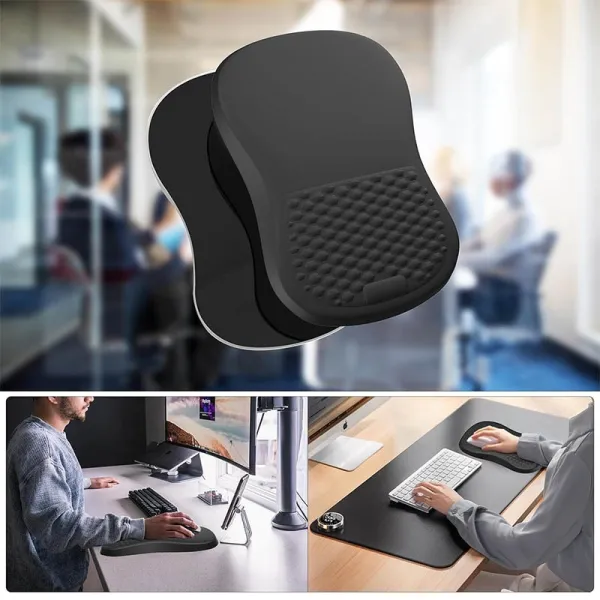
Cushion Wrist-Support Mouse Pad
Memory-foam wrist support, non-slip base
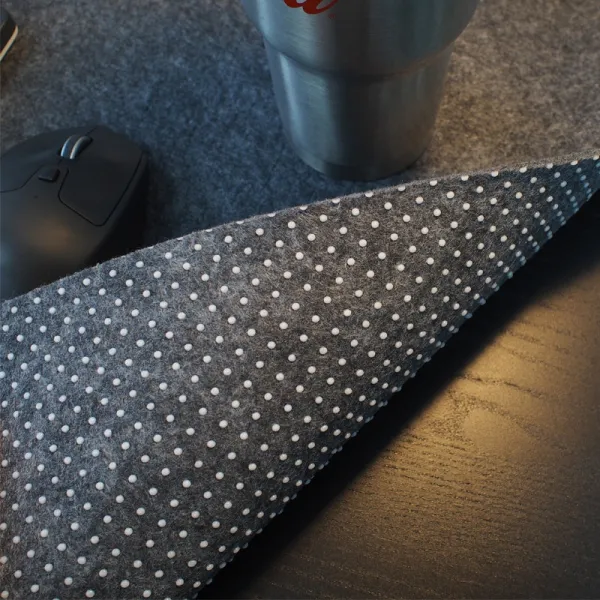
Field Felt Desk Pad
Extended felt pad for keyboard and mouse
FAQ
Is a vertical mouse worth it?
The lab evidence says a vertical mouse measurably reduces forearm pronation (from about 42 to 28 degrees in one Ergonomics study) and lowers wrist-extensor muscle activity, at the cost of somewhat slower pointing until you adjust. If you feel forearm or wrist strain after mouse-heavy days, it is a reasonable, evidence-aligned thing to try; if your work depends on fast pixel-precision, a moderately angled or well-fitted standard mouse keeps more accuracy. General information, not medical advice.
Does a vertical mouse help with carpal tunnel syndrome?
That has not been proven. A meta-analysis in the Journal of the Neurological Sciences found mouse use was associated with higher odds of carpal tunnel syndrome among office workers (odds ratio 1.93), and concluded computer use might be a minor occupational risk factor: but no clinical trials show that a vertical shape prevents or treats the condition. It reduces the awkward postures involved, which is a narrower claim. Symptoms such as numbness or tingling belong with a doctor; this is not medical advice.
Are silent mice more ergonomic?
No: silence is an acoustic feature, not a postural one. Dampened switches remove the click sound, which matters on calls and in shared or quiet rooms, but comfort still depends on the criteria that apply to any mouse: a size that fits your palm, a shape that keeps the wrist neutral, and a position close to the keyboard so you move from the elbow rather than the wrist.
Sources
- Quemelo & Vieira · Biomechanics and performance when using a standard and a vertical computer mouse (Ergonomics, 2013)
- Odell & Johnson · Evaluation of flat, angled, and vertical computer mice and their effects on wrist posture, pointing performance, and preference (Work, 2015)
- Shiri & Falah-Hassani · Computer use and carpal tunnel syndrome: A meta-analysis (Journal of the Neurological Sciences, 2015)
- EU-OSHA · Work-related musculoskeletal disorders: prevalence, costs and demographics in the EU (summary)
- CCOHS · Office Ergonomics: Computer Mouse · Selection and Use
- CCOHS · Office Ergonomics: Wrist Rests