Standing desk vs standing-desk converter
Both let you work standing, but they solve the problem in opposite ways: one replaces your desk, the other sits on top of it. Here is how they differ on cost, height, stability and space — and how to tell which one fits your room and your budget.
At a glance
| Product | Best for | Price | Warranty |
|---|---|---|---|
| Rise Aluminium Laptop Stand | Rotatable aluminium, lifts screen to eye level | € 29.95 | 2 years |
| Field Felt Desk Pad | Extended felt pad for keyboard and mouse | € 19.95 | 2 years |
| Rack Under-Desk Cable Tray | Carbon-steel tray, adjustable length | € 44.95 | 2 years |
| Charge Monitor Riser | Monitor riser with built-in wireless charging pad | € 127.95 | 2 years |
The core difference: retrofit vs replace
A standing-desk converter is a platform that sits on top of the desk you already own. It rises and lowers: usually on a gas-spring or scissor mechanism: carrying your keyboard, mouse and monitor up to standing height, then back down to sit. Nothing about your existing desk changes; you just gain a movable tier on top of it. A full standing desk replaces the whole surface: the legs themselves telescope, typically driven by an electric motor, so the entire top travels from sitting to standing height. That single distinction drives every trade-off below. A converter is the low-commitment, lower-cost, no-tools route: ideal if your current desk is fine and you simply want the option to stand. A full desk is the clean-slate route: one integrated surface, no platform eating into your desk depth, and a much wider height range. Deskt carries both: the Rise Standing Desk Converter for the retrofit approach, and the Apex Electric Standing Desk when you would rather replace the whole thing.

Rise Aluminium Laptop Stand
Rotatable aluminium, lifts screen to eye level
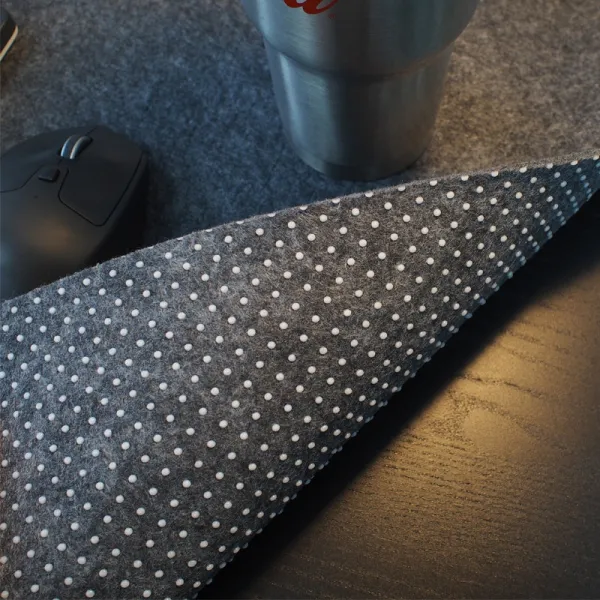
Field Felt Desk Pad
Extended felt pad for keyboard and mouse
Price, and what you actually pay for
Converters win clearly on upfront cost. The Rise Standing Desk Converter is €189.95 and needs no other purchase: you keep your existing desk. A full electric desk like the Apex is €399.95 because you are buying a motorised frame, a top, and the electronics that move them; memory presets and a dual-motor lift are part of that price. Roughly speaking, a converter costs about half of an entry-level powered desk once you account for the fact that you are not also buying a surface. There is a middle path worth knowing about. If you already own a tabletop or a door-slab desk you love, a sit-stand frame like the Pillar lets you keep that surface and motorise just the legs: €279.95 for the frame, bring your own top. It splits the difference: the full height range and stability of a real standing desk, without paying for a top you do not need. All three ship free within the Netherlands, include the 2-year warranty, and are priced in euros incl. VAT, so the number you see is the number you pay.
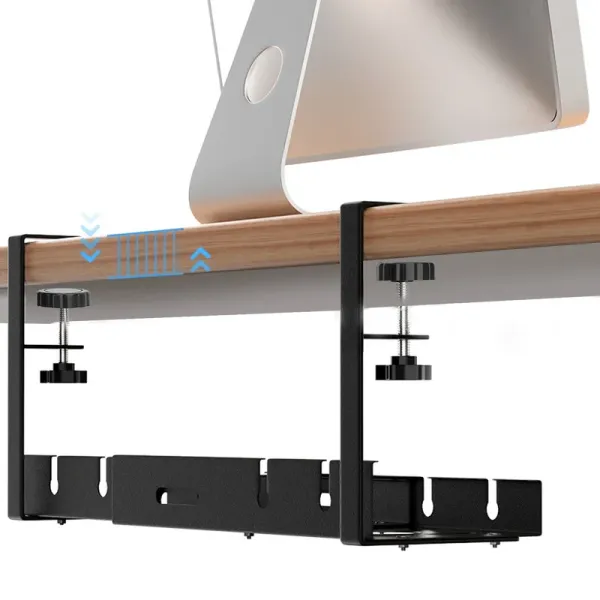
Rack Under-Desk Cable Tray
Carbon-steel tray, adjustable length
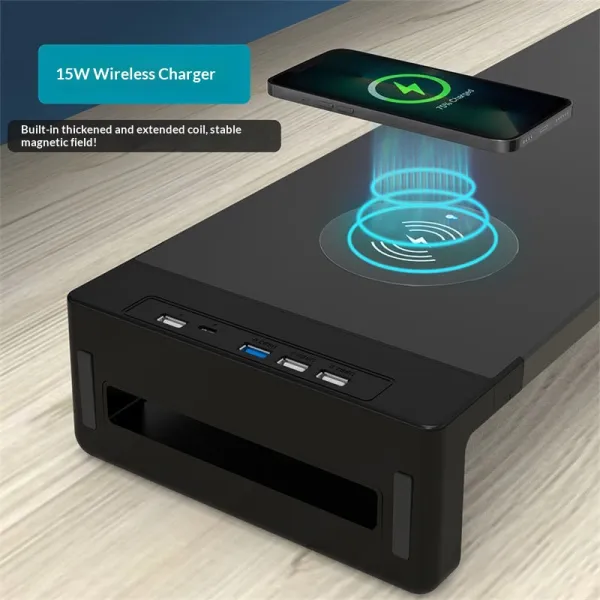
Charge Monitor Riser
Monitor riser with built-in wireless charging pad
Ergonomics: which one actually reaches the right height?
The target when standing is the same as when sitting: elbows bent around 90–100 degrees with the keyboard at that height, wrists neutral, and the top of the screen at or just below eye level about an arm's length away. For most people at around 175 cm tall, that means a standing keyboard height of roughly 105–115 cm. Here the two designs diverge. A full desk lowers its whole top, so a dual-motor frame typically spans about 65 cm to 125 cm: enough to fit a short and a tall user on the same desk, and low enough to sit properly. A converter starts from your desk's fixed height (usually 72–75 cm) and adds its own lift on top, so it reaches standing height easily but the keyboard tier bottoms out at your desk surface: fine for most, but the extra thickness can leave the seated position a touch high for shorter users. The bigger catch is the monitor. On a two-tier converter the screen rides a shelf above the keyboard, and that shelf often is not tall enough to bring a large monitor to eye level, especially for tall people. The fix is to take the screen off the converter entirely and put it on a monitor arm clamped to the desk behind the platform, so screen and keyboard height move independently. On a full desk you have the whole surface to place a riser or arm however you like.
Stability, desk space and the footprint you lose
A full standing desk is a single rigid structure, so it stays planted at any height: important if you type hard, lean on the desk, or run dual monitors. Converters are stable enough for normal typing, but because they raise your gear on a mechanism above the desk, there is inherently more leverage up high; a heavy monitor perched on the top tier will show a little more movement than the same screen bolted to a solid desk. If you work with two large screens, that is a real point in favour of a full desk or frame. The quieter cost of a converter is desk space. The platform occupies a chunk of your surface: commonly around 60–90 cm wide and a good part of your desk's depth: and it stays there whether you are standing or sitting, because folding it away each time is rarely practical. So while a converter adds nothing to your room's footprint, it subtracts from your usable desk area and pushes your monitor forward. A full standing desk gives you the entire top back and, when lowered, looks and behaves exactly like an ordinary desk.
Which should you buy? A short decision guide
Choose a converter if you rent or move often, your current desk is solid and the right size, your budget is tighter, or you mostly want to try standing without committing. It is the fastest path: unbox, set it on the desk, done: and the Rise Converter covers that case at €189.95. Choose a full standing desk if you work from home most days, run dual monitors or a heavy setup, want the cleanest look with no platform in the way, or share the desk with someone of a very different height who benefits from the wider range and memory presets: that is the Apex. Choose a sit-stand frame like the Pillar if you already own a top you want to keep but want the stability and range of a real standing desk. A useful tie-breaker: measure your seated desk height and your ideal standing keyboard height, then check that your shortlisted product's range covers both with room to spare. If a converter cannot get your monitor to eye level, budget for a monitor arm alongside it. If you are tall and want a genuinely low seated position too, a full desk is the safer bet.
Get standing right, whichever you pick
The desk is only half the setup: how you stand matters just as much. Hard floors make standing tiring fast, so a cushioned anti-fatigue mat like the Terra is worth having under either a converter or a full desk; the slight instability keeps you shifting weight and eases the load on your feet and lower back. A tilting footrest such as the Base lets you rest one foot up and change posture through the day, which helps far more than standing rigidly still. Start gradually rather than standing all day from day one: alternate every 30 to 60 minutes, and sit back down before you feel sore. Keep your wrists neutral and your screen at eye level in both positions. This is general guidance, not medical advice; if you have persistent pain, see a qualified professional.
FAQ
Is a converter as good as a real standing desk?
For occasional standing on a desk you already like, a converter does the job well and costs less. A full standing desk wins on height range (it can lower the whole top for a proper seated position), on stability with heavy or dual monitors, and on desk space, since a converter permanently occupies part of your surface. Match the choice to how often you stand and how heavy your setup is.
Will a converter fit my current desk?
Check three things: your desk's depth (a converter needs roughly 45–60 cm of depth and pushes the monitor forward), its width (platforms are commonly 60–90 cm wide), and that the desk is sturdy enough to carry the platform plus your gear. Most standard desks are fine. If your desk is shallow, a full standing desk or a sit-stand frame may suit you better.
Can I reach the right monitor height on a converter?
Sometimes the built-in top tier is not tall enough to bring a large screen to eye level, especially for taller users. The reliable fix is to skip the monitor shelf and clamp a monitor arm to the desk behind the platform, so you can set screen height independently of the keyboard. On a full desk you have the whole surface for a riser or arm.
Do I need an anti-fatigue mat and footrest?
They are optional but genuinely help. A cushioned mat reduces fatigue when standing on hard floors, and a tilting footrest lets you vary your posture while sitting or standing. Neither depends on which desk you choose: they improve comfort on a converter and a full standing desk alike.