How to reduce back pain while working from home
Back pain at a home desk is rarely about one weak muscle — it's about holding the same loaded position for hours. Here's how to set up your space and your day so your spine stops fighting your desk.
At a glance
| Product | Best for | Price | Warranty |
|---|---|---|---|
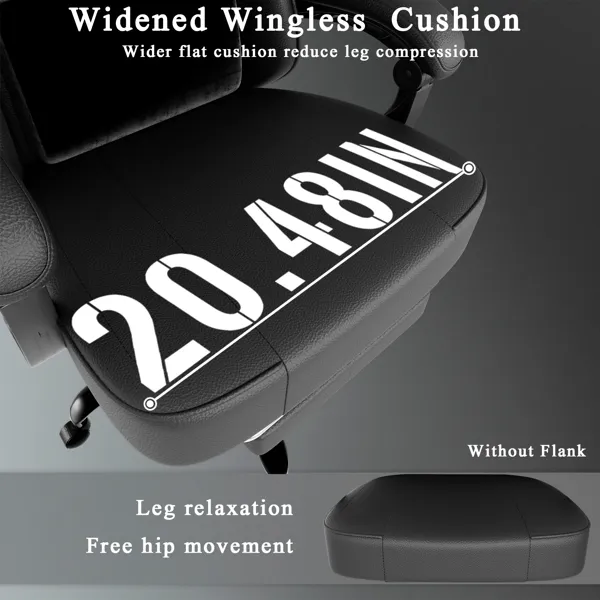
| Spring Gaming Chair with Footrest | Pocket-spring cushion, fold-out footrest | € 152.95 | 2 years |
| Charge Monitor Riser | Monitor riser with built-in wireless charging pad | € 127.95 | 2 years |
| Crane Gas-Spring Monitor Arm | Gas-spring single arm, up to 27", 10 kg | € 79.95 | 2 years |
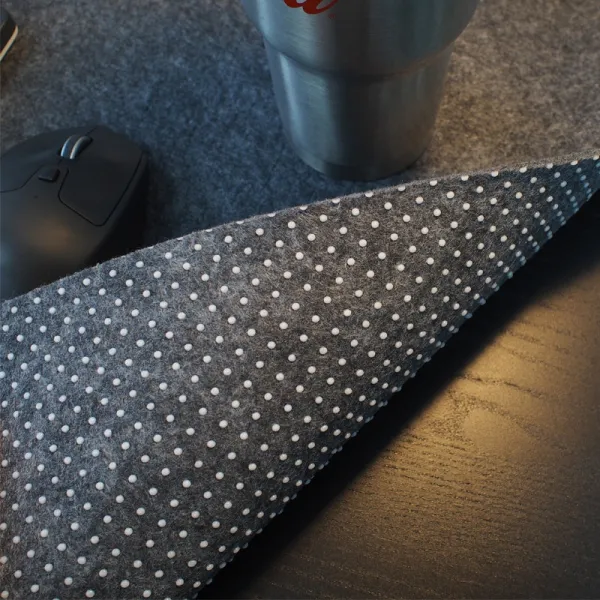
| Field Felt Desk Pad | Extended felt pad for keyboard and mouse | € 19.95 | 2 years |
Why a home desk is hard on your lower back
Your spine copes well with movement and badly with stillness. When you sit: especially slumped: the discs in your lower back carry noticeably more load than when you stand or lie down; classic spinal-pressure research put slumped, unsupported sitting among the highest-load everyday positions. Hold that for a full working day and the surrounding muscles fatigue, the pelvis rolls backwards, and the natural inward curve of the lower spine flattens out. That flattening is what most people feel as a dull ache by mid-afternoon. Working from home quietly makes this worse. Kitchen chairs have no lumbar support and no height adjustment, sofas let the pelvis collapse entirely, and there's no colleague or coffee run to break up the sitting. The fix isn't one heroic purchase or one perfect posture: it's a supported starting position plus regular changes of position. Get those two things right and most desk-related back pain eases considerably. Note: this is general guidance, not medical advice: if pain is severe, radiates down a leg, or persists for more than a couple of weeks, see a doctor or physiotherapist.
Start with the chair: support the curve, don't flatten it
A good chair does one essential job: it keeps your pelvis upright so your lower spine holds its gentle inward curve instead of rounding into a C. Set the seat height so your hips sit level with or slightly above your knees, with thighs sloping very gently downward; that pelvic tilt does most of the postural work for free. Then set the backrest so its curve meets the small of your back, and use a recline of roughly 100–110° rather than bolt-upright 90°: leaning back a touch transfers weight off the discs and onto the backrest. A fully adjustable task chair makes this repeatable day after day: seat height, seat depth, backrest angle and adjustable arms let you dial the fit to your body rather than contorting to fit the chair. A breathable mesh chair with full adjustment is the reliable all-rounder for a long working day, and a compact ergonomic chair covers the same fundamentals in a smaller footprint; if you spend very long stretches at the desk, a high-back model adds neck and upper-back support for when you recline.
Already have a chair? Add support where it's missing
You don't need to replace a decent chair to fix the two things most chairs get wrong: a missing lumbar curve and a hard, pressure-point seat. A memory-foam lumbar cushion strapped to the backrest fills the gap behind your lower spine, gently coaxing your pelvis upright so you stop sliding into a slump: it's the single cheapest change that helps most people. Pair it with a pressure-relieving seat cushion if a flat or firm seat leaves you shifting and fidgeting after an hour; distributing weight across the sit bones takes strain off the tailbone and the muscles around the lower back. These are also the pragmatic answer for anyone working from a borrowed dining chair or a shared table where a full ergonomic chair isn't practical. They travel between rooms easily and cost a fraction of a new chair, so they're a sensible first step before committing to bigger changes.
Set your feet and screen so you don't slump forward
Once the chair is right, two things pull you back out of position: dangling feet and a low screen. If your feet don't rest flat on the floor at the correct seat height, your thighs get squeezed and your pelvis rolls back: a tilting footrest restores a stable base and lets you keep the seat high enough for your knees. It sounds minor, but unsupported feet are a common hidden cause of lower-back fatigue. A screen that sits too low is the other culprit. When you look down at a laptop for hours, your head drifts forward and your upper back rounds, dragging the whole spine out of line. Aim for the top third of the screen to sit at eye level so your neck stays stacked over your shoulders. A monitor riser is the simplest fix and adds tidy storage underneath, while a gas-spring monitor arm lets you fine-tune height and distance and frees up desk space. If you work on a laptop, raise it and add a separate keyboard and mouse so your hands stay low while the screen stays high.
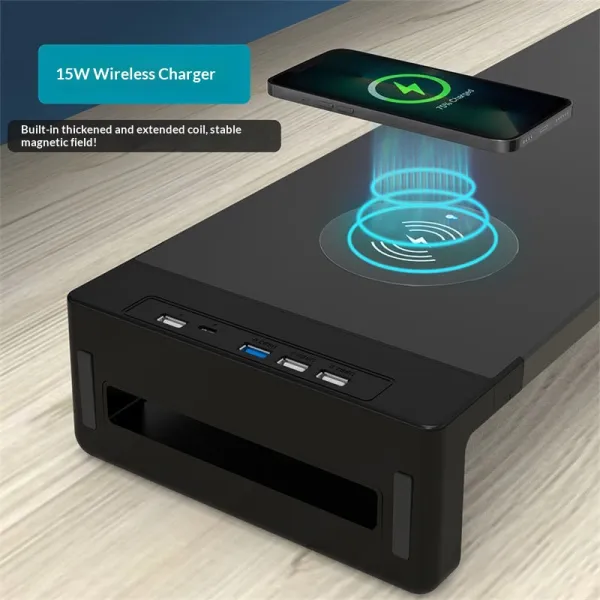
Charge Monitor Riser
Monitor riser with built-in wireless charging pad
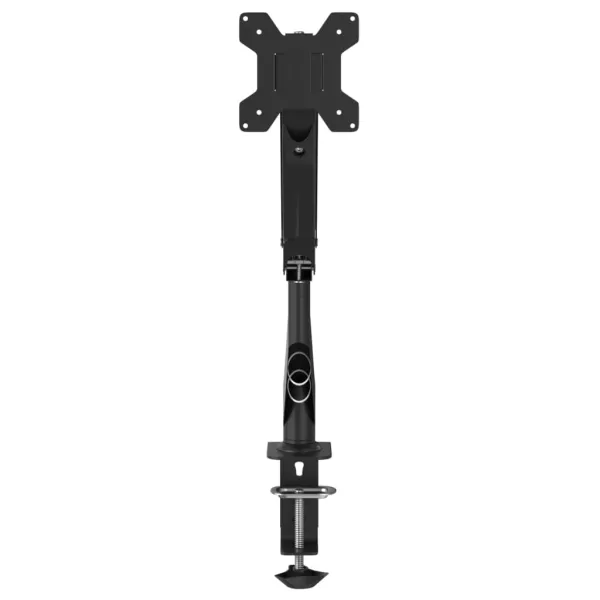
Crane Gas-Spring Monitor Arm
Gas-spring single arm, up to 27", 10 kg
Move often: the best posture is your next one
No position is healthy for eight hours: even a perfectly set-up chair. The most protective habit you can build is simply changing posture regularly, and the easiest way to force that is to alternate between sitting and standing. A full electric standing desk with memory presets makes switching effortless, a sit-stand converter adds the same ability on top of your existing desk, and a height-adjustable frame lets you build a standing setup around a top you already own. A practical rhythm to start with is roughly 20 minutes sitting, 8 minutes standing, and a couple of minutes of gentle movement each half hour. When you do stand, a cushioned anti-fatigue mat encourages small weight shifts and takes the edge off hard floors. And even while seated you can keep the spine moving: active seats like a kneeling chair or a saddle stool open the hips and keep your core lightly engaged, so they make a good second seat to rotate to for part of the day rather than sitting statically in one chair from morning to evening.
A five-minute routine to unload your back
Equipment sets the stage, but movement is the medicine. Build a light routine you can do at the desk without changing clothes. Every 30–45 minutes, stand up and do a few slow standing back extensions: hands on your hips, gently arch backwards: to reverse the forward-rounded shape sitting imposes. Add a few rounds of cat-cow (arching and rounding your back) to keep the spine mobile, and a standing hip-flexor stretch, since tight hip flexors from sitting quietly tug the lower back out of position. Two more easy wins: keep a glass of water on the desk so refills become natural movement breaks, and take calls standing or walking. None of this requires discipline you don't have: it just requires removing the friction, which is exactly what an adjustable setup does. If a specific movement sharply increases your pain rather than easing stiffness, stop and check with a professional; gentle, pain-free movement is the goal, not pushing through.
FAQ
Will a better chair actually fix my back pain?
A well-adjusted ergonomic chair removes a major cause: an unsupported, slumped lower spine: and for many people that alone makes a big difference. But no chair works if you sit in it statically all day. Treat the chair as the foundation and pair it with regular movement and correct screen height for the real benefit. If pain persists despite a good setup, see a professional.
Is standing better than sitting for back pain?
Neither is a cure on its own. Standing all day can strain the lower back and legs just as much as sitting all day. The win is alternating between the two so no single position is held for hours. A sit-stand desk or converter, plus an anti-fatigue mat for standing spells, makes switching easy enough that you'll actually do it.
How often should I get up and move?
A practical target is a change of position every 30 to 45 minutes and a short stand-and-stretch at least once an hour. It doesn't need to be a workout: a minute of standing back extensions, a walk to refill your water, or switching to a standing desk is enough to unload the discs and reset your posture.
When should I see a doctor about back pain?
This article is general ergonomic guidance, not medical advice. See a doctor or physiotherapist if your pain is severe, follows an injury, radiates down a leg, comes with numbness or weakness, or simply doesn't improve after a couple of weeks of better setup and movement. Persistent pain deserves a proper assessment.