Split keyboard vs ergonomic keyboard: what's the difference?
"Split" and "ergonomic" get used as if they mean the same thing. They don't: one is a specific design, the other is an umbrella. Knowing which fixes what saves you both money and a frustrating adaptation period.
At a glance
| Product | Best for | Price | Warranty |
|---|---|---|---|
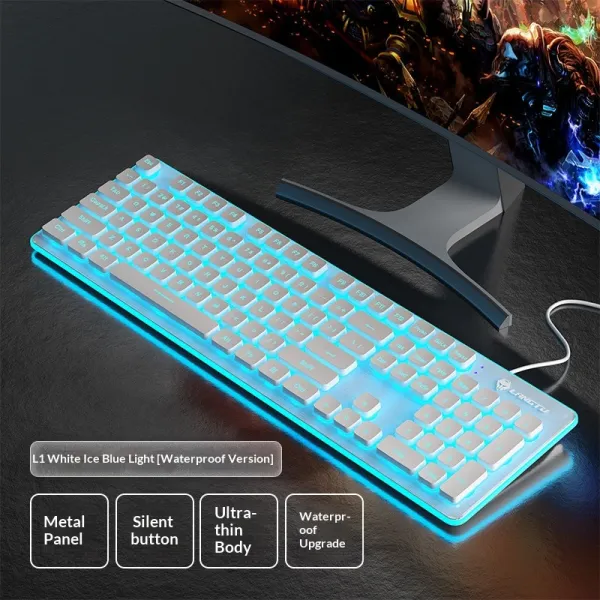
| Gaming Office Backlit Wired Keyboard | Backlit keys for late sessions | € 39.95 | 2 years |
| Vertex Wireless Vertical Mouse | Bluetooth vertical mouse, neutral handshake grip | € 24.95 | 2 years |
| Hush Silent Wireless Mouse | Silent clicks, slim ergonomic shape | € 24.95 | 2 years |
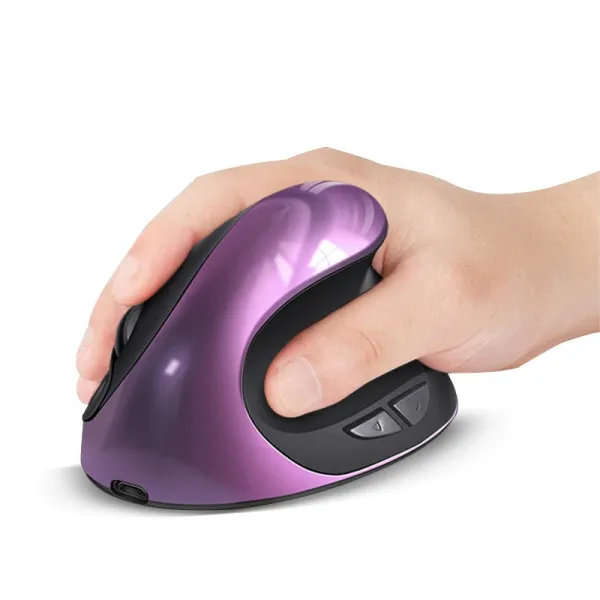
| Volt Charging Vertical Mouse | Rechargeable vertical mouse: no battery swaps | € 29.95 | 2 years |
The short version: one is a category, the other is a design
"Ergonomic keyboard" is an umbrella term for any board shaped to keep your hands, wrists and shoulders in a more natural position than a flat rectangular keyboard allows. A "split keyboard" is one specific type within that family: the design where the keys are physically separated into two halves. So the honest answer to "split vs ergonomic" is that it's a bit of a false comparison: every split keyboard is ergonomic, but not every ergonomic keyboard is split. In everyday shopping language, though, people use "ergonomic keyboard" to mean the gentler, one-piece curved boards, and "split" to mean the two-halves designs. That's the practical distinction we'll use here. The real question isn't which label is better: it's how much correction your hands need, and how much change you're willing to adapt to in return. Both aim at the same three problems a standard flat keyboard creates: wrists angled outward toward the little fingers (ulnar deviation), forearms rotated flat onto the desk (pronation), and wrists bent upward to clear the front edge (extension). Where they differ is how aggressively they attack each one.
What a true split keyboard does
A split keyboard separates the left and right key clusters so each hand can sit in front of its own shoulder instead of being squeezed toward the centreline. That directly reduces ulnar deviation: your forearms, wrists and hands can run in a straight line rather than angling inward. On some splits the two halves are fixed at an angle; on others they physically detach so you set your own shoulder width. The second thing many splits add is tenting: raising the inner edges so the keyboard forms a shallow tent shape. Flat typing forces your forearms into full pronation, roughly palms-down at 90 degrees of rotation. Even a modest 10-to-15-degree tent lets your hands rotate slightly toward a handshake position, which most people find noticeably easier on the forearms over a long day. The Pulse Split Keyboard splits down the middle and tents gently for exactly this reason: straighter wrists, more open shoulders, and a posture that undoes the laptop hunch rather than reinforcing it. The trade-off is real: a split changes your hand position enough that you'll type slower for the first one to three weeks while your muscle memory re-maps, especially around the middle keys (the B, Y and H region) that touch-typists often hit with the "wrong" hand. If you commit through that window, most people settle back to full speed. If you can't afford a slow fortnight, factor that in.
What a one-piece ergonomic keyboard does
The gentler end of the family keeps everything on a single board but reshapes it. A curved ergonomic keyboard splays the two key zones apart within one housing and often adds a built-in palm rest, so you get much of the ulnar-deviation relief of a split without your hands ever leaving a familiar layout. The Wave Ergonomic Keyboard is this style: a gently curved one-piece board with a cushioned palm rest, so you get comfort without relearning how to type. Adaptation is usually a day or two rather than weeks. A second, quieter form of "ergonomic" is simply a smaller footprint. A standard full-size board with a number pad pushes your mouse far out to the right, so every mouse reach pulls your shoulder outward and forward: a common and underrated source of shoulder and upper-back ache. A compact, low-profile keyboard drops the number pad and brings the mouse back in line with your shoulder. The Compact Wireless Keyboard does this, and its low profile also flattens the angle your wrists bend up to reach the keys. It won't correct ulnar deviation the way a split does, but for a lot of people the mouse-distance fix delivers more day-to-day relief than the split geometry would.
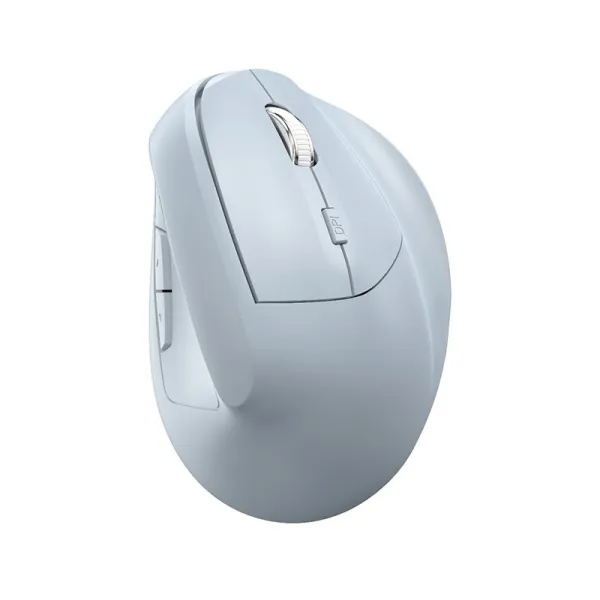
Vertex Wireless Vertical Mouse
Bluetooth vertical mouse, neutral handshake grip

Hush Silent Wireless Mouse
Silent clicks, slim ergonomic shape
How to choose between them
Start with your symptoms. If your discomfort is in the wrists and forearms: tingling, that outward-angled ache, tension along the underside of the forearm: you're the strongest candidate for a true split with tenting, because that's the design that most directly straightens the wrist and unrotates the forearm. If your ache is more in the shoulders and upper back, look first at how far your mouse sits from your keyboard; a compact board may do more than any amount of key-splitting. Then weigh your appetite for change. A split asks for a genuine adaptation period and a willingness to relearn a small part of your typing. A curved one-piece board asks for almost none. If you're not sure you'll stick with a re-learning curve: or you share the desk, or you switch between machines often: the gentler one-piece design is the safer first step, and you can always move to a split later once you know a keyboard change genuinely helps you. One honest caveat: a keyboard is one input in a whole setup. If your chair, desk height or monitor position is wrong, no keyboard fully compensates. Get your elbows to roughly 90 degrees with forearms level to the floor first; the right keyboard then does its job from a sound baseline. None of this is medical advice: if you have persistent pain, numbness or tingling, see a physiotherapist or doctor rather than self-treating with gear.
Setup matters more than the label
Whichever type you land on, a few adjustments decide whether it actually helps. Aim for a neutral wrist: a flat or very slightly downward-sloping keyboard keeps your wrists straight, while the little flip-out feet at the back: the ones almost every keyboard ships with: tilt the board up and force your wrists into extension. Counterintuitively, keeping those feet down (or using a slight negative tilt) is usually the more ergonomic choice. Wrists should hover or rest lightly, not press. A palm rest is meant to support the heel of your hand during pauses, not to plant your wrists while typing: you still want small movements coming from the shoulder and elbow. If your board doesn't have a built-in rest and your wrists drop below the keys, a dedicated wrist rest such as the Wave Keyboard Wrist Rest lifts them back to a neutral line and takes the kink out of long sessions. Finally, keep the keyboard close enough that your elbows stay near your sides rather than reaching forward, and give any new shape a fair two-week trial before you judge it: early awkwardness is your muscle memory adjusting, not the keyboard being wrong for you.
FAQ
Is a split keyboard worth it if I already touch-type fast?
It can be, but expect a temporary hit. Because a split separates the halves, your hands re-learn which side hits the centre keys, so most fast typists slow down for one to three weeks before returning to full speed. If wrist or forearm strain is your main issue, that trade is usually worth it. If you have no discomfort and just want comfort, a curved one-piece board gives you most of the benefit with almost no adaptation.
Do I need tenting, or is splitting enough?
Splitting alone fixes the sideways wrist angle (ulnar deviation). Tenting adds relief for forearm rotation by letting your hands sit closer to a handshake position instead of pressed flat. If your forearms are your sore spot, look for a board that tents; if it's mainly your wrists angling outward, a flat split already helps a lot. Many people find even a gentle 10-to-15-degree tent makes a long day noticeably easier.
Will an ergonomic keyboard fix my wrist pain on its own?
It removes several of the postures that contribute to strain, but it's one part of a setup, not a cure. Chair height, desk height, monitor position and how far you reach for the mouse all matter too. This is general guidance, not medical advice: if pain, numbness or tingling persists, see a physiotherapist or doctor, since those symptoms deserve a proper assessment rather than a hardware guess.
What's the difference between a compact keyboard and an ergonomic one?
A compact keyboard is about footprint: dropping the number pad brings your mouse back in line with your shoulder and shortens every reach, which eases the shoulders. A curved or split ergonomic keyboard is about hand and wrist angle. They solve different problems, and for some people the mouse-distance fix from going compact brings more relief than reshaping the keys: so it's worth being honest about where your discomfort actually sits.