Desk lamp vs monitor light bar
Both fix a dim desk, but they solve different problems. Here is where each one wins, what the specs actually mean, and why plenty of desks are better off with one of each.
The core difference in one line
A desk lamp lights an area of your desk from the side or above. A monitor light bar clips to the top edge of your screen and throws a shallow pool of light forward onto the keyboard and desk, deliberately keeping light off the display itself. That single design choice: light the desk, never the screen: is the whole reason light bars exist. So the question is rarely "which is better" in the abstract. It is "what is on your desk?" If you spend the day reading a screen, the enemy is reflections and a bright pool of light bouncing back at your eyes. If you spend the day reading paper, sketching, soldering, or doing anything with your hands on the desk surface, you want a directable beam you can aim. Most modern desks have both jobs, which is why the honest answer for a lot of people is not either/or.
Why a light bar wins for screen work
A traditional lamp sitting beside your monitor creates two problems at once. First, some of its light lands on the screen, washing out contrast and dropping perceived sharpness: you end up turning the monitor brightness up to compete, which tires your eyes faster. Second, a glossy panel acts like a mirror, so the lamp (or the bright wall behind it) shows up as a reflection sitting on top of your text. A monitor light bar sidesteps both. Because it sits above and in front of the panel and casts light downward and forward, none of it reaches the screen and none of it reflects back. It also uses zero desk space: it clips to the monitor bezel instead of taking up a corner. For a keyboard-and-screen desk in a dim room, that is the cleaner tool. The Lumina Monitor Light Bar covers a standard 24–27" monitor with warm-to-cool dimming; the Halo Screen Light Bar adds an ambient sensor that nudges brightness to match the room so the desk and screen stay balanced without you fiddling. For an ultrawide or a dual-screen setup, the wider Beam Pro Light Bar at 50 cm spans the extra width and adds a wireless remote so you are not reaching over the monitor to adjust it.
When a desk lamp is still the right tool
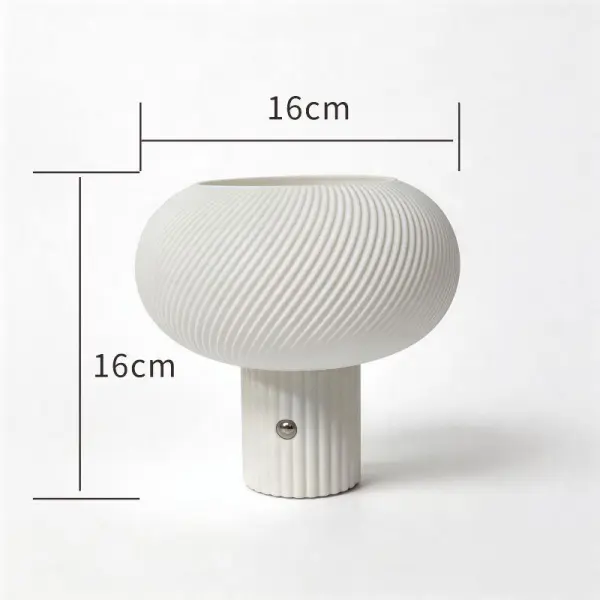
A light bar is a specialist. The moment your work leaves the screen, a lamp is the better instrument. Reading contracts, marking up printouts, drawing, model-making, or any close hand-work benefits from a strong, aimable beam: something a fixed forward-throwing bar cannot give you. A lamp also lights faces for video calls far more flatteringly than a bar tucked behind your screen. Reach and mounting matter here. The Focus Desk Lamp is a wide flicker-free LED bar putting out roughly 600 lm across the whole desk rather than one hot spot, which suits general work and paperwork. If you need to swing light precisely over a drawing board or a wide desk, the Swing Architect Lamp has a 70 cm articulated reach and a clamp base that frees up the surface. Tight desks are better served by the compact Aura LED Task Lamp with a simple touch dimmer. And if your phone lives on the desk, the Glow Wireless-Charge Lamp folds a Qi charging pad into the base so one object does two jobs.
Reading the specs: colour temperature, brightness and flicker
Colour temperature, measured in kelvin (K), sets the mood and the alertness of the light. Roughly 2700–3500 K is warm and yellow, comfortable for evenings and winding down. Around 4000 K is a neutral "paper white". Daylight sits near 6000–6500 K: crisp and energising, good for focused daytime work but harsh late at night. This is why adjustable warm-to-cool lighting is worth having: cool for the working day, warm after dark so you are not flooding your eyes with daylight at 22:00. Deskt's bars and most of the lamps dim across that whole range. Brightness on a desk is better judged by lux (light landing on the surface) than by a lamp's raw lumens, but as a rule of thumb general desk work wants a comfortably lit surface without a glaring hot spot, and detailed close work wants more. The spec that quietly matters most, though, is flicker. Cheap LED drivers pulse at mains frequency; you may not consciously see it, but it is a well-known contributor to eye strain and headaches over a long day. Flicker-free drivers remove that, which is why it is worth checking for: every lamp and bar in the Deskt range is flicker-free. None of this is medical advice; if you have persistent eye strain or headaches, see a professional.
How to choose — or combine
Start with what dominates your desk. Almost all screen, dim room, reflections annoying you? Buy the light bar first: it is the single biggest comfort upgrade for screen work and it reclaims your desk corner. Lots of paper, drawing, crafts, or video calls? Buy the lamp first, and pick the reach and base that match your surface. The strongest setup for a mixed desk is genuinely one of each: a light bar handling the ambient wash so your screen never fights a reflection, plus a lamp you can aim at whatever leaves the screen. They do not compete: the bar covers the background, the lamp covers the task. Whichever way you go, position matters as much as the fixture: keep the brightest light out of your direct line of sight, aim for even lighting rather than a single bright pool against a dark room, and drop the colour temperature down as the evening goes on.
FAQ
Can a monitor light bar replace my desk lamp entirely?
Only if your desk work is almost entirely on the screen. A light bar lights the keyboard and desk in front of the monitor without touching the display, which is ideal for typing in a dim room. But it throws light in one fixed direction, so it cannot be aimed at paperwork, a sketchpad, or your face for calls. If any meaningful part of your day involves your hands on the desk rather than the keyboard, keep a lamp too.
Will a light bar cause glare or reflections on my screen?
No: that is the entire point of the design. It sits on the top bezel and casts light forward and down onto the desk, so none reaches the panel to reflect back. That is the main reason it beats a conventional lamp placed beside the monitor, which almost always spills some light onto the screen or shows up as a reflection on a glossy display.
What colour temperature should I use for a work desk?
Match it to the time of day. Cool daylight around 6000–6500 K keeps you alert during working hours; a neutral 4000 K is an easy all-rounder; and warm 2700–3500 K is kinder in the evening when bright daylight-white light can feel harsh. An adjustable warm-to-cool fixture lets you shift across the day rather than committing to one setting.
Does flicker-free lighting actually matter?
For anyone at a desk for hours, yes. Many low-cost LEDs pulse rapidly; even when you cannot consciously see it, that flicker is a recognised contributor to eye strain and headaches over a long session. Flicker-free drivers remove it, so it is worth confirming a lamp or bar has one before you buy. If eye strain persists regardless, treat it as a reason to see a professional: this is general guidance, not medical advice.