The ergonomic setup for designers
Designers judge colour, detail and layout for hours at a stretch — which puts unusual demands on lighting and input, on top of the usual neck-and-wrist toll of a full day at the screen. This is the setup that keeps both your eyes and your body working.
At a glance
| Product | Best for | Price | Warranty |
|---|---|---|---|
| Crane Gas-Spring Monitor Arm | Gas-spring single arm, up to 27", 10 kg | € 79.95 | 2 years |
| Tandem Dual Monitor Arm | Two adjustable arms on one desk clamp | € 89.95 | 2 years |
| Nest Charging Desk Lamp | Dimmable eye-care light + charging nest | € 24.95 | 2 years |
| Fold Travel Tablet Stand | Folds flat, height-adjustable, bag-friendly | € 12.95 | 2 years |
What makes a designer's desk different
A designer's desk has to do something most workstations never worry about: show colour and fine detail truthfully, for hours, without wearing your eyes out. That adds two concerns on top of the usual ergonomic ones. The room light around your screen has to be neutral and consistent, because a warm lamp or a bright window quietly shifts how every colour on the display reads, and your hand often needs a pen or a precision pointer rather than a plain mouse. Get those wrong and you either misjudge your work or ache your way through the afternoon. Underneath the colour and the pen, though, the fundamentals are the same as any desk job, and they carry the most weight. A screen at the wrong height sets a neck ache; a flat, cramped input twists the wrist; an unsupported back gives out by mid-afternoon. This guide layers the designer-specific parts: lighting, pen input, screen real estate: on top of a solid ergonomic base, because the specialist gear only pays off if the basics underneath it are right. This is general guidance rather than medical advice.
Screen real estate, set at eye level
Design work eats screen space: panels, timelines, reference and canvas all fighting for room: so most designers run either a large ultrawide or a dual-monitor layout. The ergonomic catch is that more screen usually means the important part drifts away from eye level, and you spend the day tipping your head down or twisting to a second panel. An arm fixes both by floating the display exactly where your neck wants it and letting you swing it as the task changes. For a big curved ultrawide, use a mount rated for the weight, like the Span Heavy-Duty Ultrawide Arm, so the panel holds its height instead of drooping over the day. If you run two screens, a dual arm such as the Arc Dual Monitor Arm sets both to the same height and lets you angle each toward you, which keeps your head straight whether you are on the canvas or a reference. Set the top of your primary screen at or just below eye level, about an arm's length away, and centre the window you look at most.
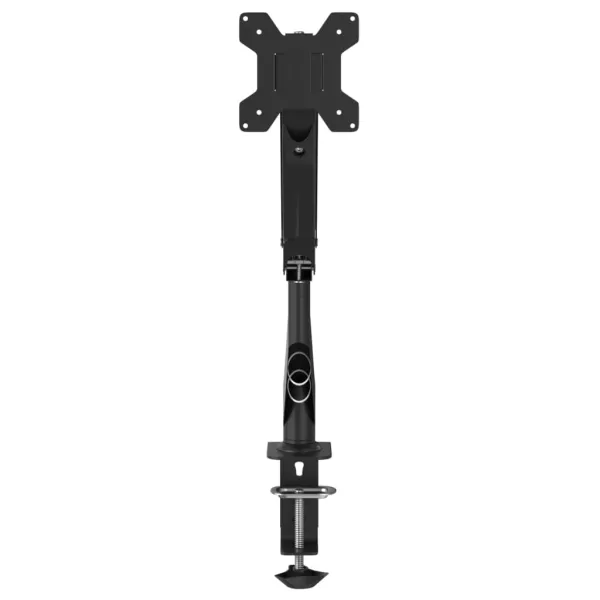
Crane Gas-Spring Monitor Arm
Gas-spring single arm, up to 27", 10 kg
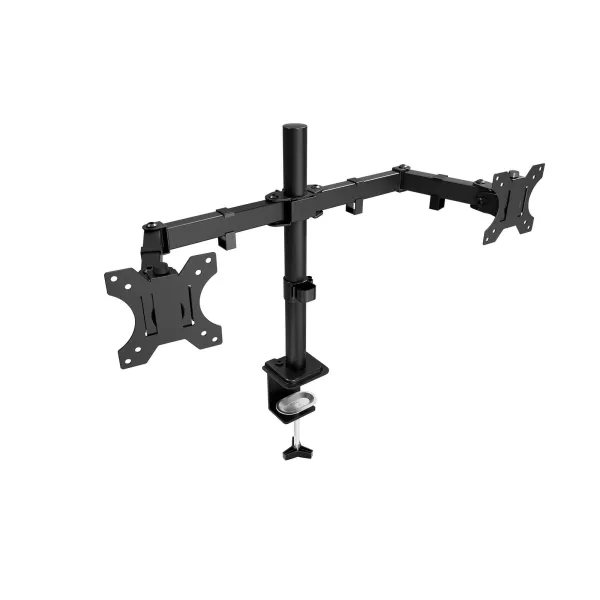
Tandem Dual Monitor Arm
Two adjustable arms on one desk clamp
Lighting that tells the colour truth
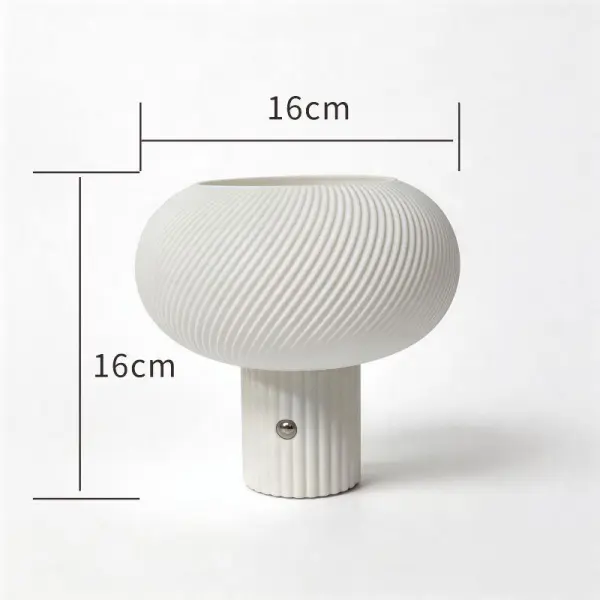
This is the part unique to visual work. Cheap LED lighting renders colour poorly: it can make a warm grey look green or crush the difference between two close shades: which is exactly the judgement a designer cannot afford to get wrong. The measure to look for is CRI, the colour rendering index; a high-CRI light source shows colour close to how daylight would. A high-CRI monitor light bar like the Chroma High-CRI Light Bar lights your desk and surroundings with accurate colour while keeping the glare off the screen itself, so what you see on the panel is not fighting the room. A neutral desk lamp complements it for close work: sketching, checking a print, matching a physical swatch: where you want even, adjustable light you can aim. Something like the Aura LED Task Lamp lets you set brightness and colour temperature to match the time of day, cooler for focused daytime work and warmer in the evening, without the flicker that fatigues the eyes. The goal across both is consistency: the more stable and neutral your ambient light, the more you can trust your own colour decisions.
Pen and precision input
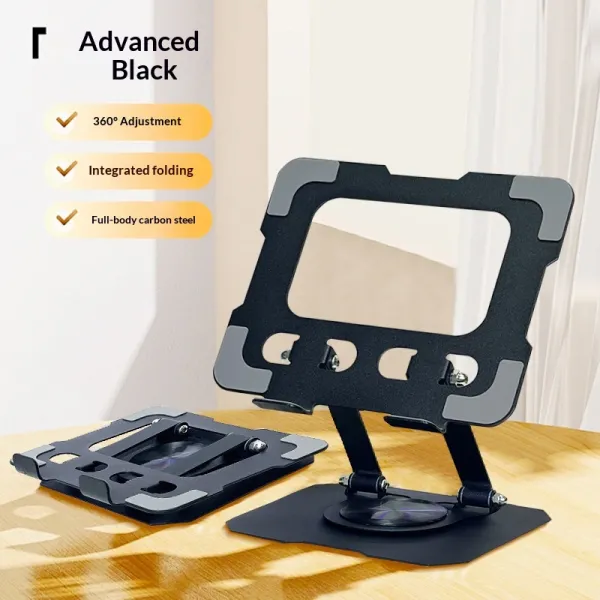
A lot of design happens through a pen, and a graphics tablet used flat on the desk quietly bends your wrist and drops your head to look down at your hand. Standing the tablet at a slight angle on a stand like the Pivot Tablet Stand brings it closer to the natural angle of a sketchpad, so your wrist stays neutral and you are not hunching over it: the same principle as a monitor riser, applied to the surface you draw on. For pointer work, the twist of a flat mouse is as hard on a designer's wrist as anyone's, arguably harder given the precision and the hours. A pen-grip mouse such as the Pen Grip Mouse lets you hold the pointer like a pen, a familiar and neutral grip for someone who draws, while a trackball like the Finger Trackball Mouse keeps your arm still entirely, which helps on a crowded desk covered in tablet, reference and coffee. Match the form to how your hand already wants to work.
The all-day base: chair, height, wrists
None of the specialist gear matters if hour four in the chair is agony. A supportive task chair like the ErgoPro Mesh Office Chair holds your lower back so you sit back rather than perching forward over a tablet, and it breathes through a long session. Set your hips slightly above your knees, feet flat, and let the backrest carry you. If you tend to lock into a pose while concentrating: designers are notorious for it: an electric sit-stand desk like the Apex Electric Standing Desk builds movement into the day, so you can stand to review a layout and sit to do detail work. Finally, protect the wrists between bursts of drawing and clicking. A solid Walnut Palm Rest keeps your hands level during pauses without the gel pads that flatten and leak, and it happens to look at home on a considered desk. Keep your wrists floating and neutral while you actually work, resting only when you stop, and take a genuine break from the screen every 30 to 45 minutes: your colour judgement, like your neck, sharpens after a short rest.
FAQ
Why does room lighting matter so much for design work?
Because the light around your screen changes how you perceive the colours on it. A warm lamp or a bright, cool window shifts your reading of every shade, so a colour that looks right in your room can be off everywhere else. Neutral, high-CRI ambient light gives you a stable reference, which is why it belongs in a designer's setup rather than being an afterthought.
What is CRI and what number should I look for?
CRI (colour rendering index) measures how faithfully a light source shows colour compared to daylight, on a scale to 100. General lighting often sits around 80, which is fine for a hallway but not for judging colour. For design work, look for a high-CRI source: roughly 90 and above: which renders colours close to true and will not quietly mislead your eye.
Do I need a graphics tablet stand, or can it lie flat?
It can lie flat, but a slight angle is kinder to your wrist and neck. A flat tablet makes you bend your wrist up and drop your head to look at your hand; propping it at a low angle on a stand mirrors how a sketchpad naturally sits, keeping the wrist neutral. If you draw for hours, it is a small change that adds up.
I switch between mouse and pen all day — what's easiest on my hand?
Match the tool to the grip your hand already uses. A pen-grip mouse lets you hold the pointer like a stylus, so switching from drawing feels natural; a trackball keeps your forearm still, which suits a crowded design desk. Whatever you choose, keep your wrist neutral rather than bent, and rest your hands during pauses. Persistent wrist pain is worth discussing with a professional.